SYSTEM THINKING
INFORMATION ARCHITECTURE
INTERACTION DESIGN
UX/UI DESIGN
DESIGN SYSTEM
2025 - 2026
CRM (Back-Office)
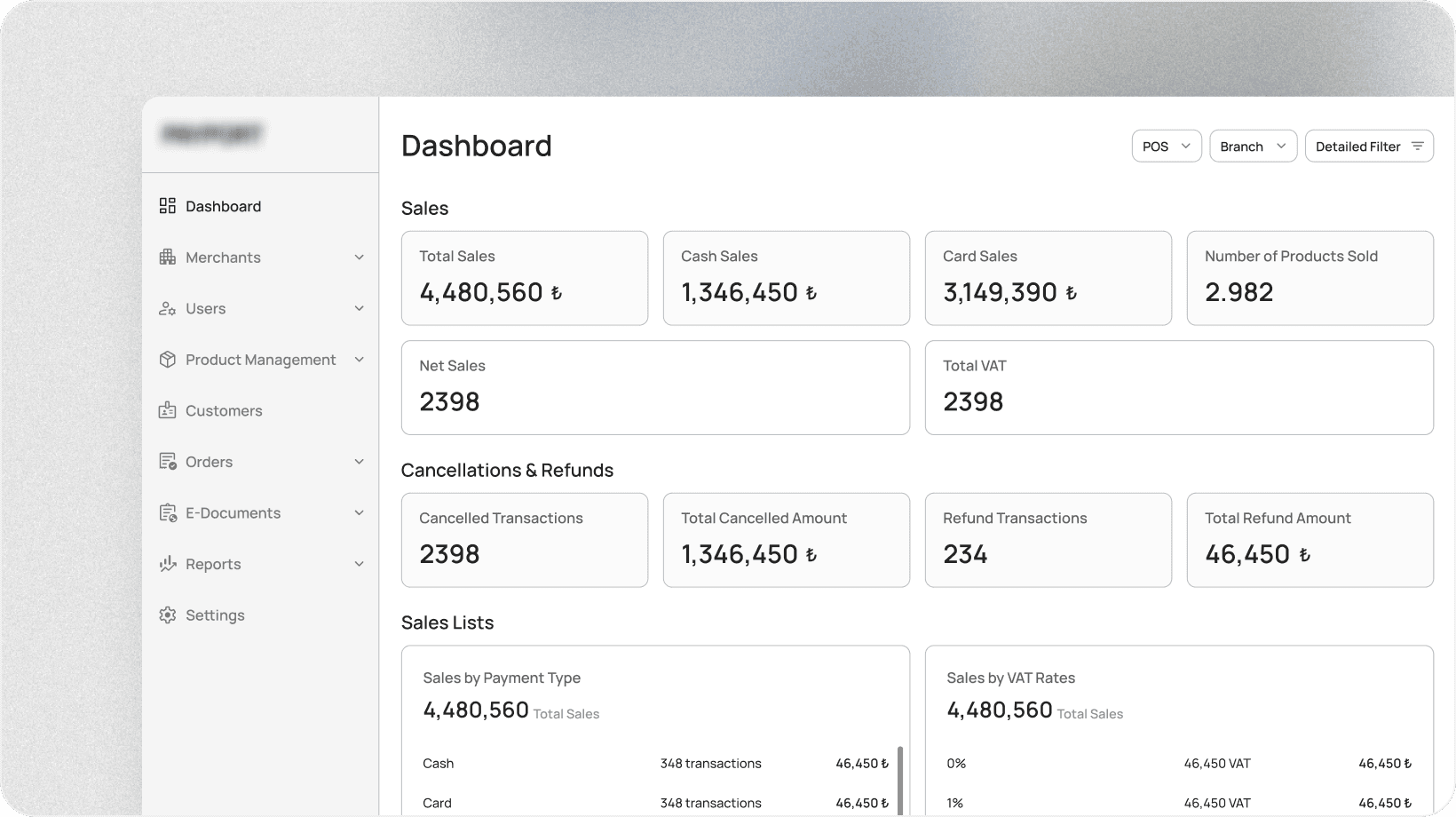
Designing an integrated POS & CRM system for high-volume merchants
ROLE
System Thinking
Information Architecture
Interaction Design
Design System
UX Design
UI Design
TEAM
1 Product Designer
1 Domain Expert/Analyst
Engineering Team
IMPACT
Enabled faster understanding of sales,
terminal, and transaction status
Reduced cognitive load in
data-heavy dashboards
Improved traceability between POS actions,
transactions, and customers
The CRM is the control and insight layer of a multi-surface payment platform. It is used by merchants and internal teams to monitor sales, manage customers and products, review transactions and investigate issues originating from POS terminals.
I led the information architecture, interaction design, UX and UI of the CRM system supporting merchants, operations and support teams.
I worked closely with a domain expert who had deep knowledge of merchant operations, POS flows and regulatory constraints. This collaboration replaced direct user interviews during early stages due to access limitations.
CHALLENGE
Transforming large volumes of financial and operational data into an interface that supports quick decision-making, investigation and monitoring, without overwhelming users.
PROBLEM
Traditional CRM systems expose raw data without context, making it difficult for users to understand what is happening across terminals and branches. This leads to slow issue resolution, misinterpretation of data, and increased support workload.
GOALS
Provide at-a-glance visibility into business and terminal performance
Reduce cognitive load through clear hierarchy and grouping
Enable fast investigation of transactions and issues
Maintain consistency with POS terminology and states
STEP 1: UNDERSTANDING THE SYSTEM
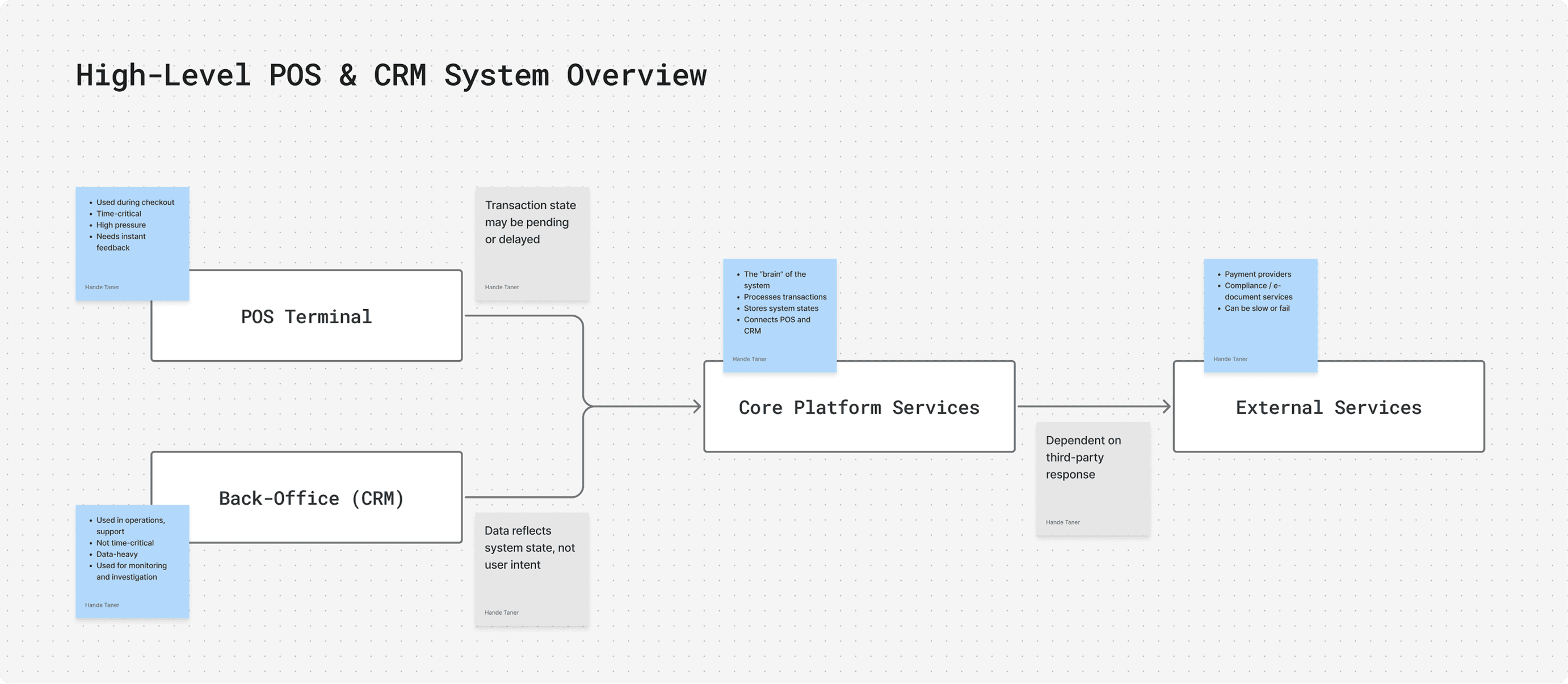
To understand the CRM’s role within a larger POS ecosystem, I relied on product documentation and close collaboration with a domain expert. This helped me understand system constraints, key entities (terminals, transactions, statuses), and how data flows from POS terminals into the CRM.
STEP 2: PROBLEM FRAMING
Based on system understanding and expert insights, I reframed the requirements into clear design problems focused on internal CRM users.
Key questions included:
How can internal teams quickly understand the state of multiple terminals?
How can the CRM surface issues that require action instead of just displaying data?
How can complex system information be made scannable and decision-oriented?
This step ensured the CRM was designed as an operational tool, not just a reporting interface.
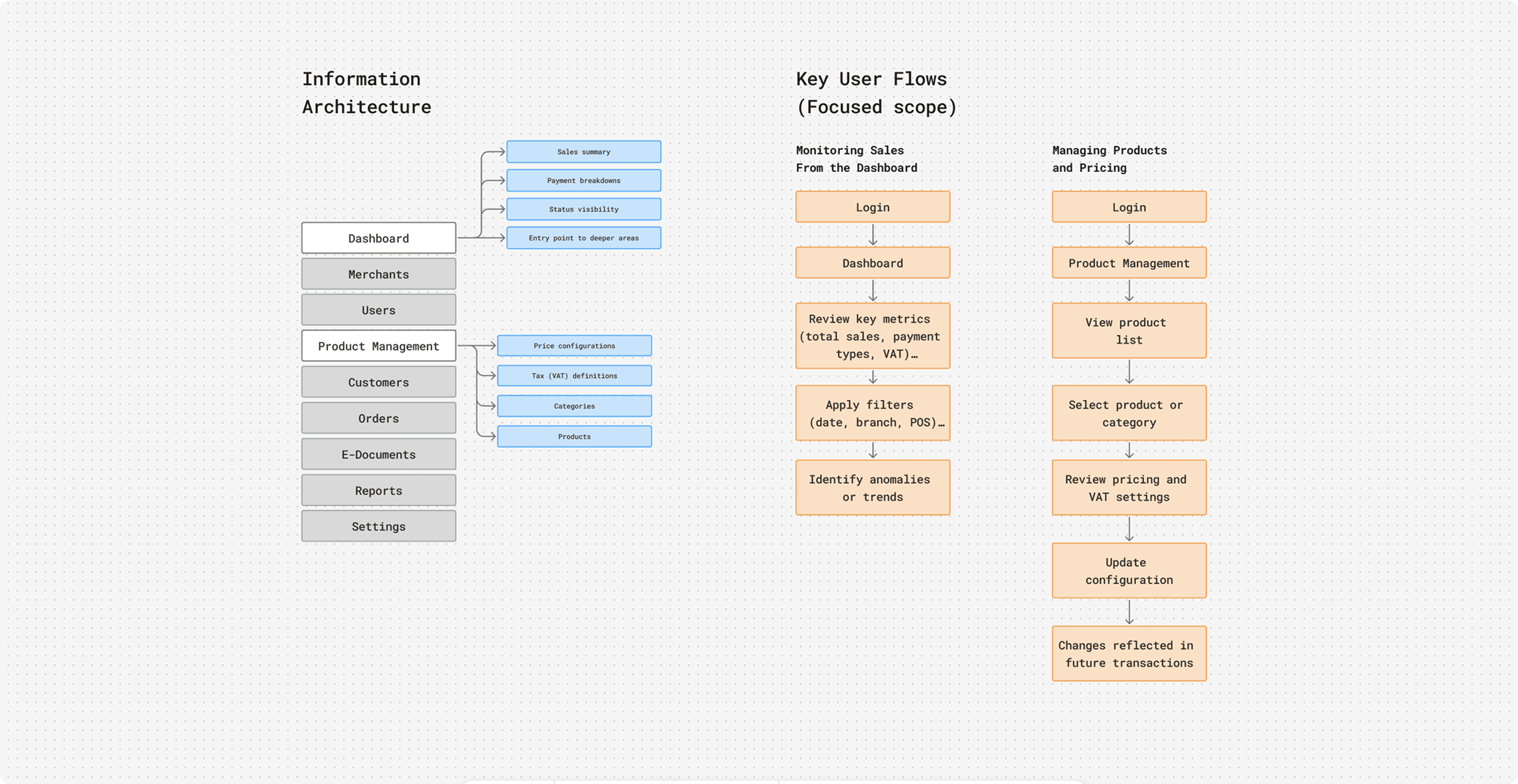
STEP 3: INFORMATION ARCHITECTURE & FLOWS
I defined core CRM flows for monitoring, investigation, and management, grouping information by user intent rather than raw data structure. Navigation and hierarchy were designed to surface critical states first, with details available on demand.
STEP 4: INTERFACE DESIGN & ITERATION
The CRM interface was designed and refined through iterative feedback with the domain expert, continuously validating designs against system logic, documentation, and real operational scenarios.
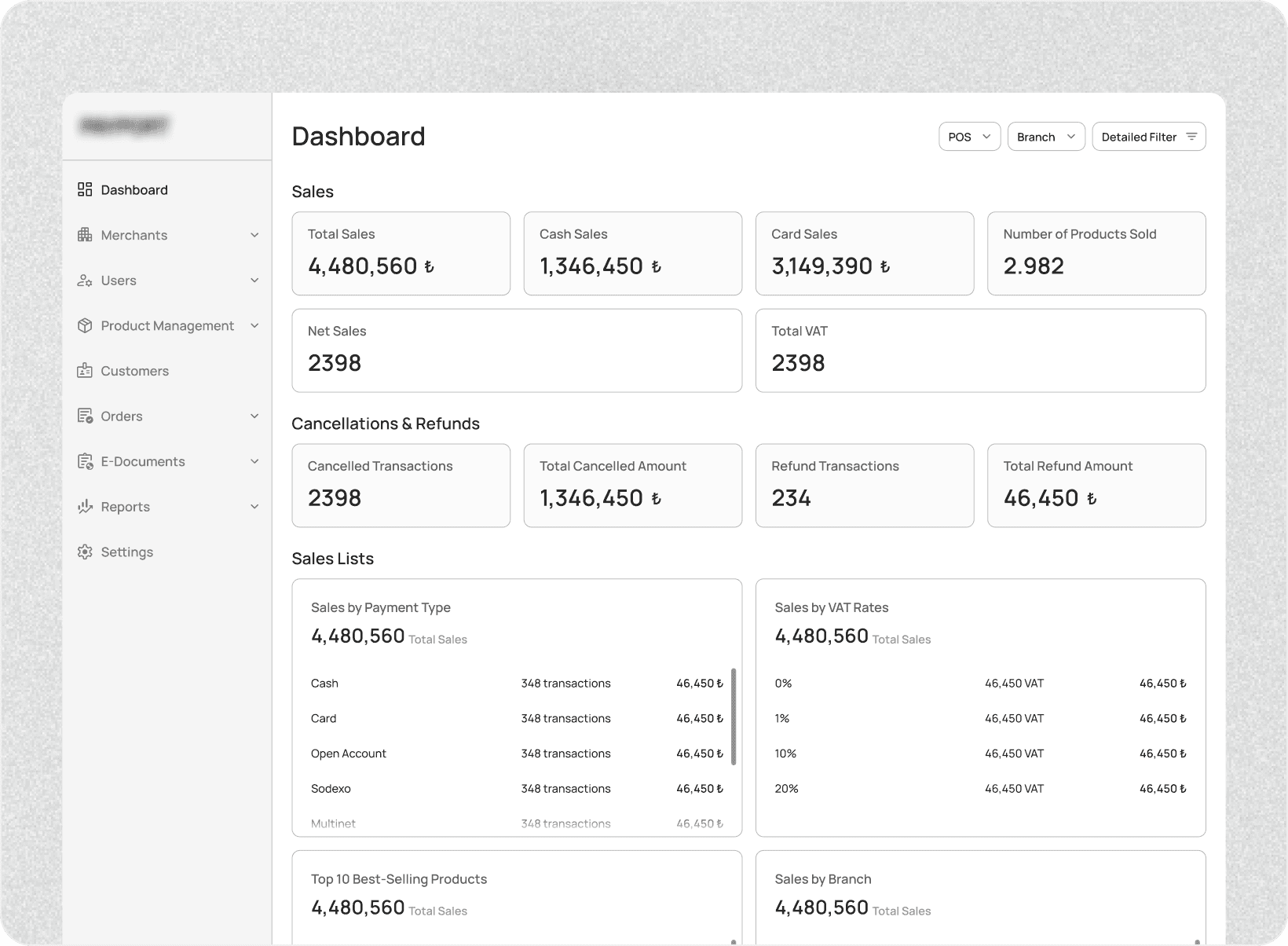
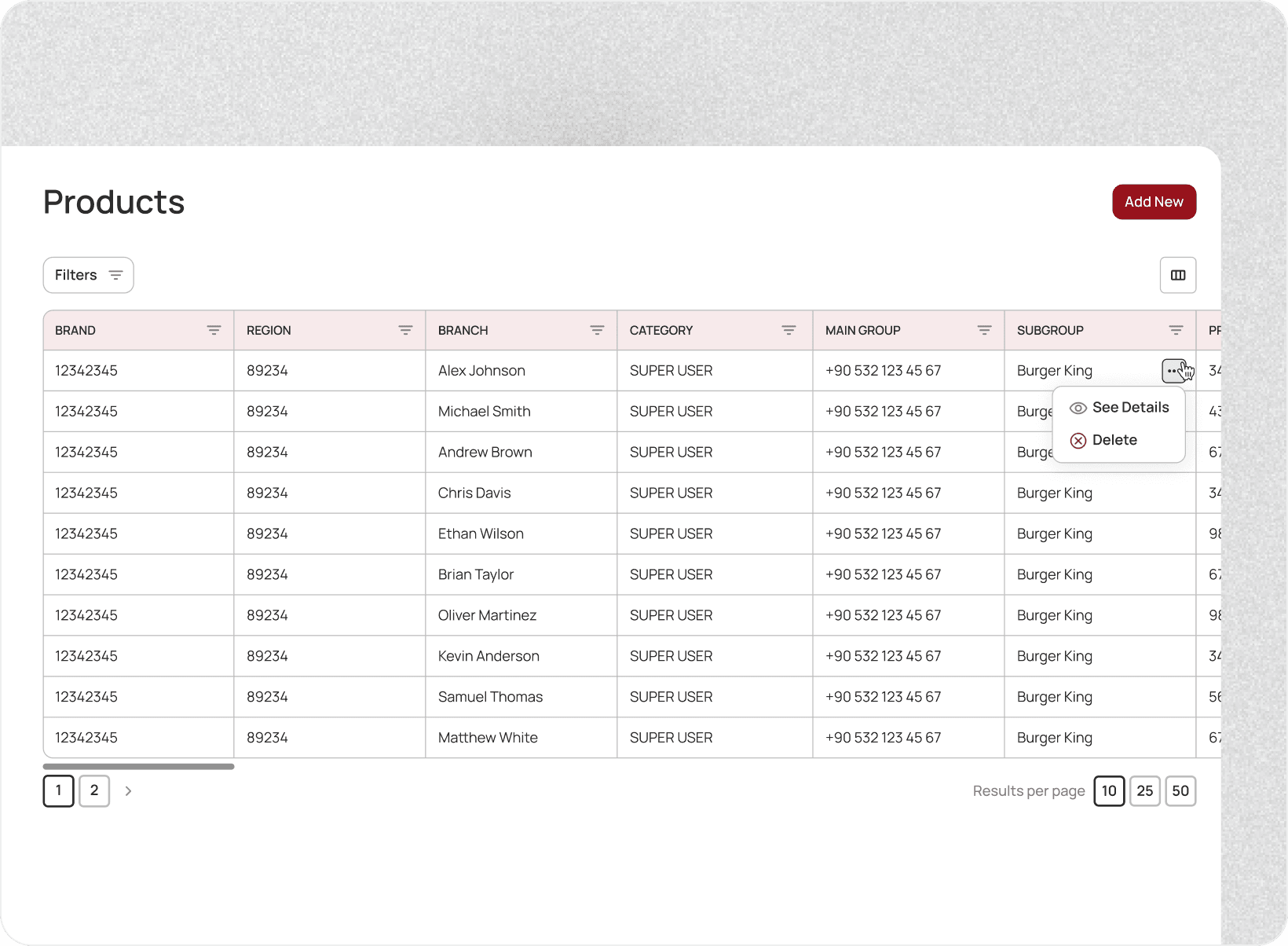
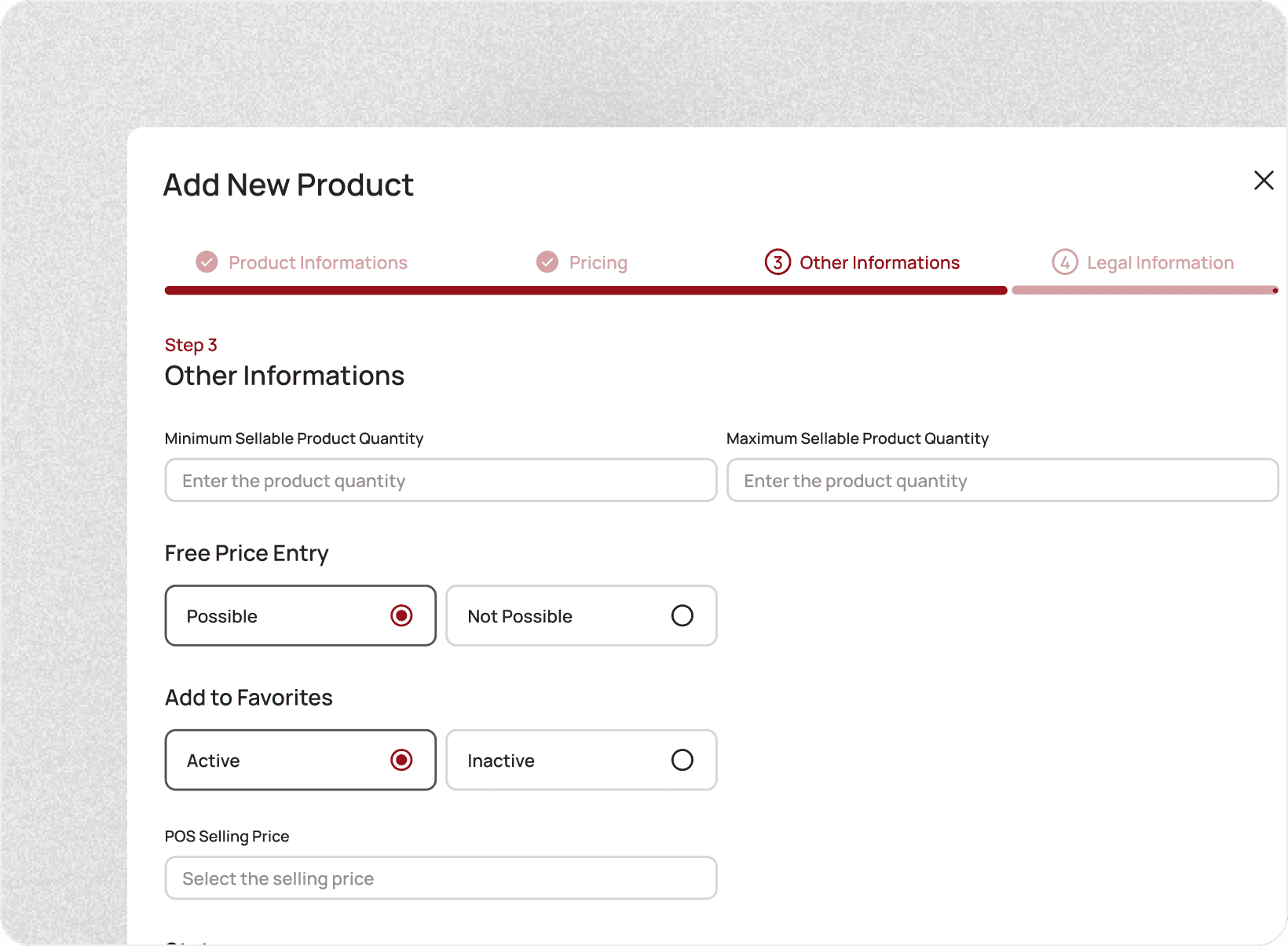
Designed a scalable CRM system aligned with POS behavior
Translated complex transactional data into actionable insights
Created a consistent language and status model across products